This post is part of a series. Part 1 covered the Mailchimp/Hermes pipeline and trying to adapt it to this project (for Instagram/Facebook).
Part 1 ended with a Meta developer app that existed but did nothing — correctly scoped, correctly permissioned, and completely inert, because the one piece that actually connects it to Middle Ground’s Instagram account was still sitting untouched: “Add account.” One button. How hard could it be?
I spent a couple of hours trying to figure out the Meta platform where I encountered a number of bugs. The documentation wasn’t the best and Claude has a tendency to lead you on, burning tokens, but it doesn’t really know what it’s doing. It was an important lesson: AI is good for some tasks but there’s no replacing (as of yet) human attention to detail. So I waded through a pile of outdated tutorials, eventually arriving at the right spot: in your Instagram -> Settings -> Website permissions -> Apps and websites ->
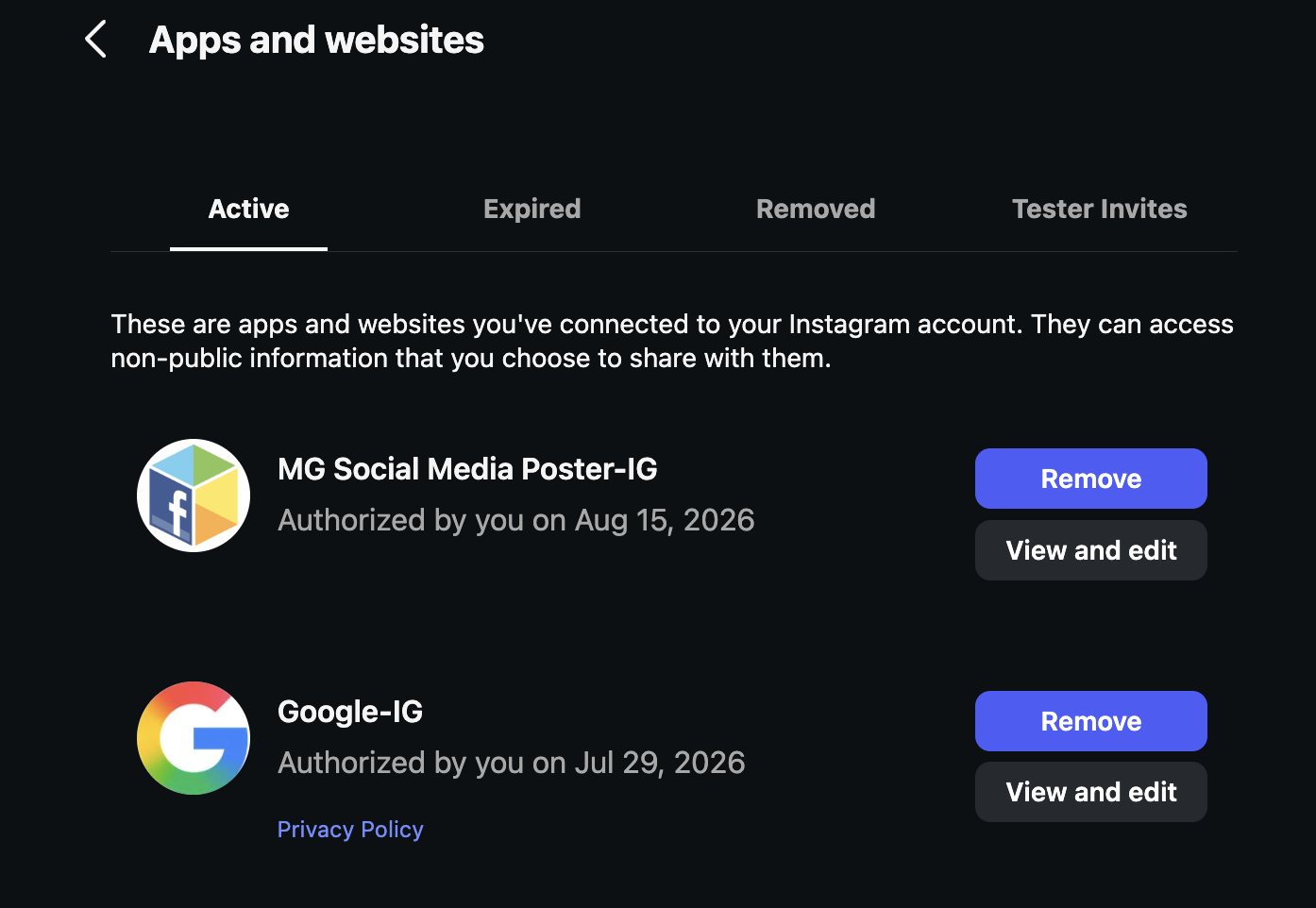
The First Wall: “Insufficient Developer Role”
Clicking “Add account” opened an Instagram login popup, I authorized as mgmccali, and got kicked straight to an error page: “Insufficient Developer Role.” Fair enough — this app is in Development mode, and Meta restricts login in that mode to accounts that already have a role on the app. mgmccali didn’t have one yet. Simple fix: add it as an Instagram Tester in the app’s Roles tab.
Except the invite sat there marked “Pending” and nothing I tried made it move.
The Wrong Turn
As I mentioned, Claude sent me hunting through Instagram’s Settings menu for “Apps and Websites → Tester Invites,” based on instructions it had pulled from search results. They were reasonable-looking instructions but they were also completely wrong. They described the Instagram Basic Display API, a system Meta deprecated back in December 2024. The menu path it described didn’t exist anymore because the feature it belonged to didn’t exist anymore. This is a common mistake by many of these chat tools. The issue is that they can easily convince you they know what they’re doing. A good rule of thumb is to stop your chatbot after two or three prompts that are starting to feel circular. So I told Claude:
"Is there not some type of documentation you can have access to verify because this is wasting a lot of time?"Finding the Real “Apps and Websites”
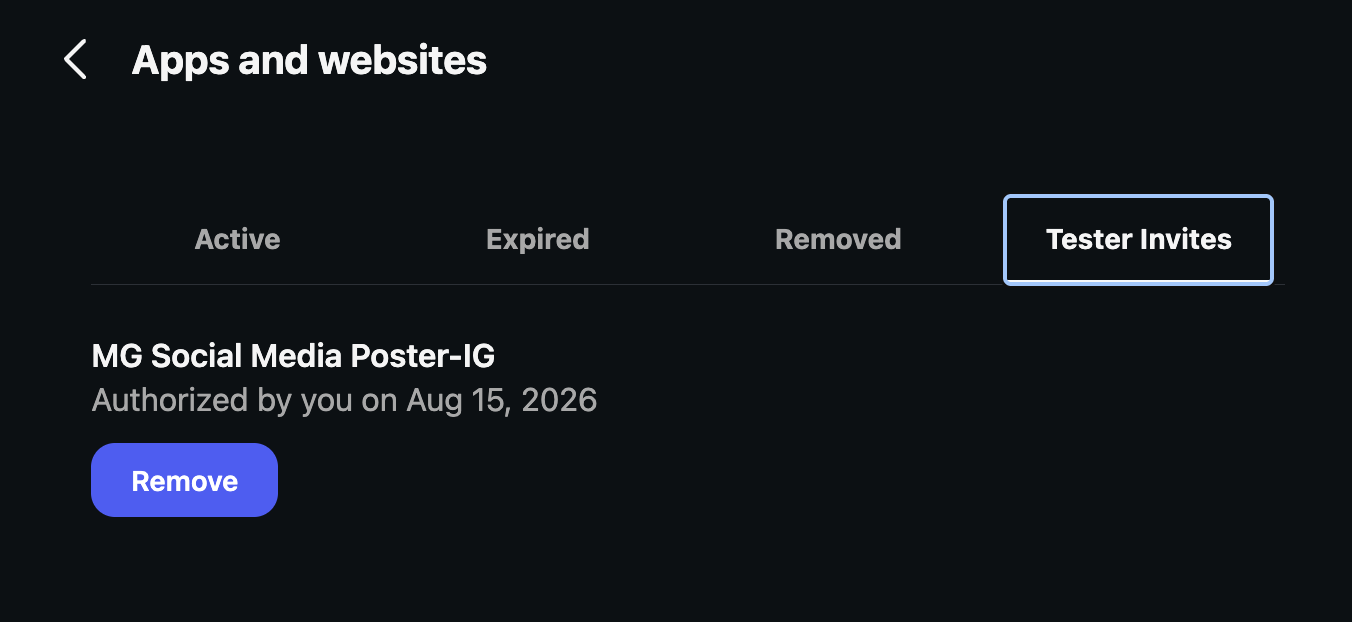
Turns out the menu item hadn’t vanished — it had just moved and been renamed, and Instagram’s own in-app settings search didn’t surface it under the words we were searching. It was sitting under Accounts Center → App connections, reachable from Settings, but the actual Tester Invites tab lived one level deeper than either of us expected, and neither Instagram’s search nor its menu labels pointed there directly.
Once found, the invite from “MG Social Media Poster” was sitting there, waiting, the whole time. One tap to accept it. Status flipped from Pending to Active. Retried “Add account” — worked immediately, no error, no ceremony.
What Actually Went Wrong, Named Plainly
Worth being precise about this instead of hand-waving it as “technical difficulties”:
- A real, documented Meta bug — the developer community has open threads on exactly this symptom: tester invites stuck on Pending with no visible acceptance path. Not user error.
- My error, layered on top — pointing at deprecated documentation with confidence, describing a menu that no longer existed as if it did. That cost real time and trust, and the honest fix wasn’t a better guess, it was going and reading the actual current source instead of pattern-matching from search snippets.
- A UI genuinely bad at surfacing itself — even Instagram’s own settings search for “apps” and “tester” didn’t return the tab that mattered. The path existed. Nothing pointed to it.
Where Part 2 Ends
By the close of the session:
mgmccaliis a confirmed, active tester on the Meta app- “Add account” succeeded — the connection Part 1 couldn’t reach is now live
- A real short-lived access token has been generated, ready to be exchanged for a long-lived one and dropped into Hermes’
.env, the same disciplined way the Mailchimp key was handled
But the button that wouldn’t work for two and a half hours now works. Some sessions are just that: not a feature shipped, a stuck door finally opened.
Stay tuned for Part 3: chasing a Tailscale connection that wouldn’t work, and the one-line fix that finally made it.