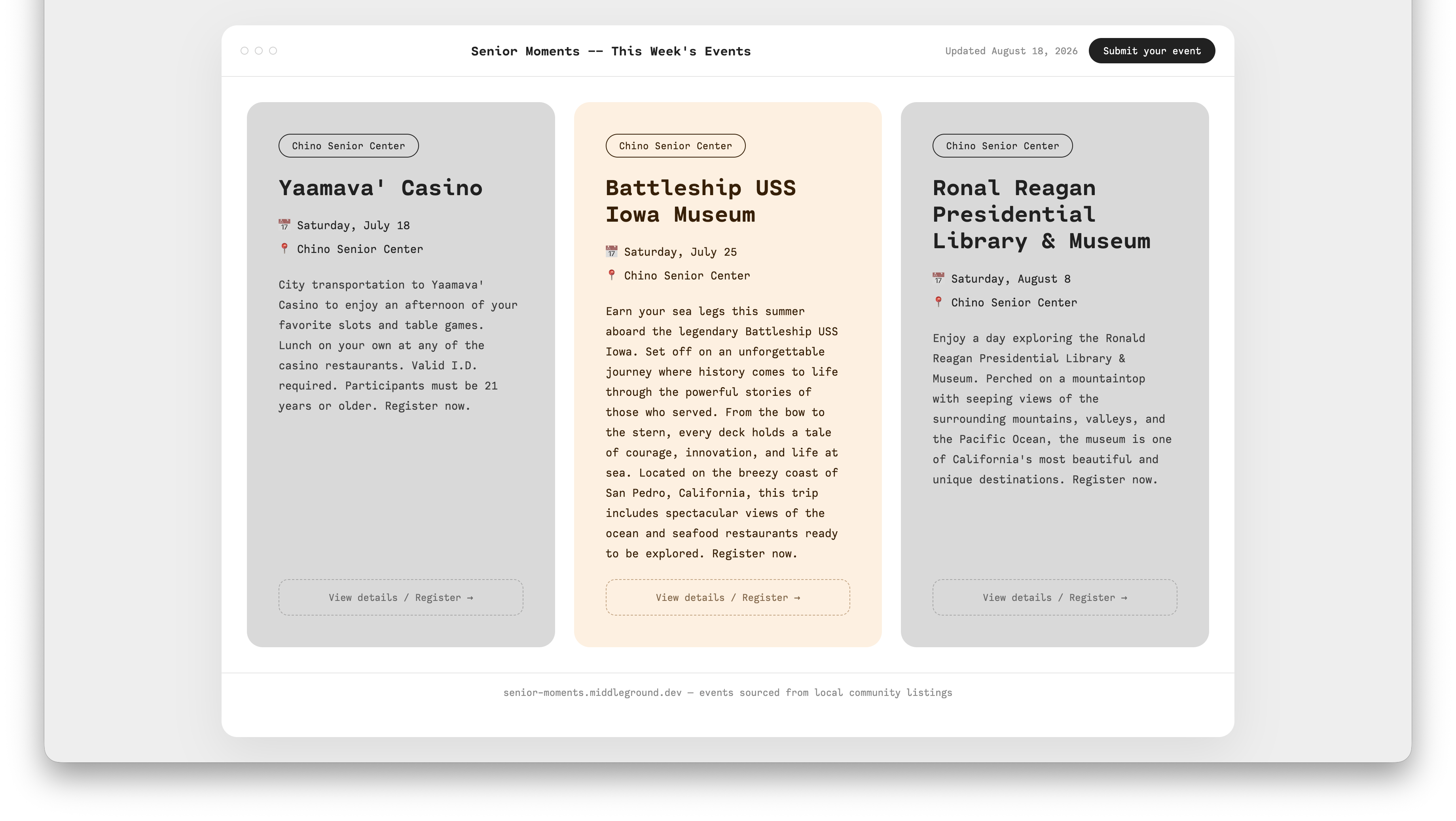
Last time I wrote about the pipeline itself — scrape, filter, render, publish — while Telegram/Hermes integration was still on the to-do list. Since then the site went live at senior-moments.middleground.dev, the Hermes integration got built, and along the way I hit a couple of failures worth writing down, because none of them were where I expected them to be.
The stack
Nothing exotic, which was the point:
- Scraping: Python,
requests+beautifulsoup4, same as every other pipeline I run - Geo filtering:
uszipcode, offline lookups — no live geocoding API calls, no key to manage - Site: Astro, static output, one Markdown file per digest run
- Hosting: Vercel, git-push-to-deploy
- Scheduling / on-demand runs: Hermes (self-hosted, Docker), triggered by cron or by messaging it on Telegram
- Venv:
uv, inside the Hermes container specifically — more on why “inside the container specifically” matters below - Event submission: Formspree, routed to my inbox for manual review before anything publishes
The only non-FOSS pieces are Vercel and Formspree, and both were already accepted exceptions from other projects before this one — I wasn’t introducing anything new, just reusing services I’d already decided were worth the tradeoff.
Failure #1: “astro: command not found”
First deploy to Vercel failed in two seconds flat:
sh: line 1: astro: command not found
Error: Command "astro build" exited with 127
My first guess was a Vercel config problem — wrong root directory, wrong framework preset, something like that. It wasn’t. git log --oneline -- site/package.json came back empty. The entire Astro scaffold — package.json, astro.config.mjs, every page — had been built and tested locally, but never actually committed. Only one file, a digest Markdown page, had made it into git via an earlier automated commit. Vercel was building against a site/ directory that, as far as GitHub knew, didn’t have a package.json in it at all.
The fix was anticlimactic once diagnosed: confirm the local build was actually clean (npm install, npm run build — both fine), then commit and push the ~5,000 lines that had been sitting untracked the whole time. Redeploy succeeded in nine seconds. The lesson wasn’t really about Astro or Vercel — it was “verify what’s actually on the remote before debugging the platform,” which is a rule I already knew and still managed to skip a step on.
Failure #2: the clone inside the clone
Setting up a second local copy of the repo on my MacBook, so I could run Claude Code there instead of loading up the mini PC for every design session, I ran git clone from inside an old, stale clone of the same repo that I’d forgotten existed — from back when I first built the pipeline months ago. Git happily created a nested senior-moments/ folder inside the old one instead of complaining.
Nothing was lost, but it took a minute to untangle: confirm which copy was actually current (git log --oneline -5 — the nested one had the real, up-to-date commit; the outer one was months behind), fast-forward the outer folder with a plain git pull, then delete the redundant nested copy. Boring, but worth mentioning because the failure mode — “which folder is actually the real one” — is exactly the kind of thing that’s obvious in hindsight and not obvious at 5pm when you’re just trying to get Claude Code open.
The wall that wasn’t fixable
Not every obstacle has a fix. SB County Library — which covers five branches in one scraper when it works — started 403ing. My first assumption was a missing or wrong User-Agent header, an easy fix. It wasn’t: even a plain request with a real Chrome UA from the same residential IP that hits every other source fine got Cloudflare’s “Attention Required” block page. That’s a JS challenge, not a header problem, and getting past it properly means a real headless browser — out of scope for a project built on requests.
Rather than burn time forcing it, I left the source registered so it fails loudly (a logged error each run) instead of silently disappearing, documented why in the README, and moved on. Not every 403 is the same problem, and it’s worth spending five minutes confirming which kind you’ve got before you start “fixing” it.
The quieter problem: not every scraper knows what a senior event is
The more interesting failure mode showed up after the sources were technically working. Corona Public Library, LA County Library’s Diamond Bar branch, and Ontario City Library all returned real events — 80, 22, and 51 respectively. Most of them had nothing to do with seniors: preschool storytimes, toddler programs, general adult ESL classes. The scrapers weren’t broken, they just had no concept of “senior” to filter on, because most library sites don’t expose that as a field.
Two different outcomes came out of actually checking each source’s data instead of assuming they’d all behave the same way:
- Diamond Bar had a real fix. Its events widget turned out to support an audience filter (
id=14871, literally labeled “Older Adults”) that the first pass of the scraper hadn’t used. Switching to it dropped the count from 22 unfiltered events to 4 correctly-targeted ones — noise gone, not content lost. - Corona and Ontario didn’t. I checked Corona’s full LibCal audience taxonomy directly — Adaptive, Adults, Adults 21+, All Ages, Babies, Children, Teens, Toddlers — and there’s genuinely no senior-specific option to filter on. Rather than either ship it unfiltered and silent, or throw out 131 real events because the filter I wanted didn’t exist, both sections now ship with a visible caveat note rendered right under the heading, so anyone reading the digest knows exactly what they’re looking at.
That felt like the right tradeoff: honest about a limitation beats a fake sense of precision.
Letting people add events themselves
The site had a “Submit your event” pill in the header from the first design pass that didn’t actually do anything — a static span, no link, no backend. Closing that loop turned out to be two separate pieces:
- Marc-to-Hermes, via Telegram. I can message my own bot with an event description and it appends to
manual_events.jsonand republishes live immediately — useful for events I hear about that no scraper will ever catch. - Actual visitor submissions, via a real form on
/submit-your-event/, backed by Formspree. Submissions land in my inbox, I review them, and approved ones get relayed into the same Telegram pipeline as #1. No auto-publish straight from a stranger’s form submission — that’s a deliberate manual checkpoint, same principle as keeping newsletter sends manual on a different project.
What’s next
The source list is still mostly a backlog — one working library scraper turned into five this week, with a couple of dead ends (Pomona and one library site both sit behind bot walls of their own) documented rather than silently dropped. Farmers markets and local museums/galleries are next on the list, and neither one fits the clean “dated event” shape the library scrapers assume, so that’ll probably be its own post once it’s built.